The bell lands on the right of the bar. To open the center from the keyboard, add a binding to ~/.config/hypr/bindings.lua:
o.bind("SUPER + N", "Notification center", "omarchy-shell -q quebecstudio.qcenter toggle")
What it does
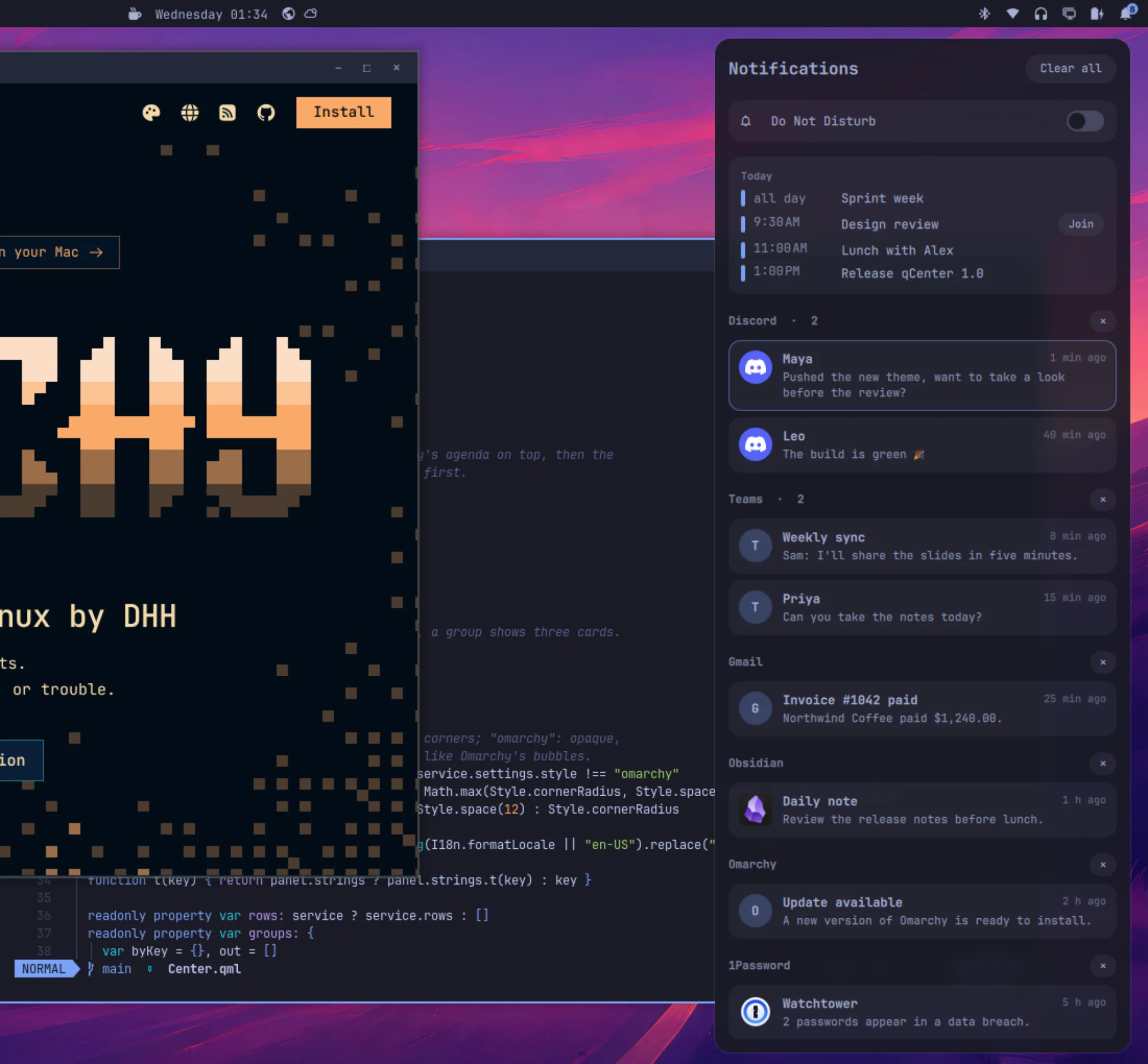
The Mac’s Notification Center, with the calendar of the Today view: the bell in the bar does what clicking the clock does. It builds on Omarchy’s own notifications instead of replacing them.
Bubbles that faded on their own, or that Do Not Disturb kept off the screen, wait here, grouped by app. Teams, Gmail and Outlook each get their own group, not one “Chrome”.
A notification runs the command it came with, brings its app’s window forward, or opens its site.
One switch at the top; what it holds back is waiting in the center.
From your calendars (Google, Outlook, iCloud, Fastmail or any ICS link), with a Join button for Meet, Teams and Zoom.
With the number of notifications waiting.
Mac (round corners, frosted glass) or Omarchy (your theme’s corners, opaque).
Screenshots
Installation
omarchy plugin add https://github.com/quebecstudio-mods/omarchy-qcenter --enableThe bell lands on the right of the bar. To open the center from the keyboard, add a binding to ~/.config/hypr/bindings.lua:
o.bind("SUPER + N", "Notification center", "omarchy-shell -q quebecstudio.qcenter toggle")For the blur behind the Mac style, add this rule to ~/.config/hypr/hyprland.lua:
hl.layer_rule({ match = { namespace = "^qcenter$" }, blur = true, ignore_alpha = 0.2 })Source code, full documentation and issue tracker on GitHub.
Documentation on GitHubThat’s exactly what we do best. Tell us about it: we’ll find the best way to build it, on your timeline and within your budget.